
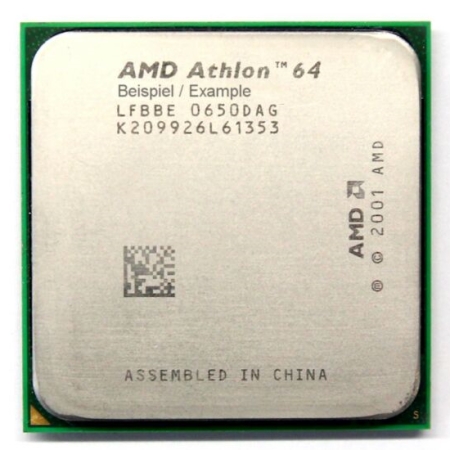
A very nice 64-bit processor (very popular too)...
Overall
Summary
A cheap CPU that is also fast and strong…
Pros
Faster than most, cheap, and reliable…
Cons
None that I found.
I have used so many of these AMD Athlon 64 processors that I would always recommend them to all my customers. I usually do suggest getting the most out of your money, but in this case, the customer insisted on this particular processor. So I had no choice but to use it for the customer’s new system (I had to make the customer happy).
When I finished putting together the system I did not get too much time to test it out and experience it. I only had about 4 days to work with it and test it out. But like any other AMD processor, this one also has performed well without any problems or hiccups. It has just been over a week now since the customer had it, and has not yet called to complain about a thing.
INSTALLATION
The installation was simple and painless as usual like all other AMD processors. I recommended to the customer that I would get the best motherboard for the money, so I purchased the Asus A8V Deluxe motherboard to go with this processor (after all I have been using this for a couple of months now). The easy installation guide that is in the box comes in handy if you are doing this for the first time, but since I have installed so many of these, I do not need the manual anymore. But the guide clearly helps you step-by-step on what to do to install your processor properly.
After installing the processor, you can either choose to install the stock heat sink (which is also perfectly good if you do not plan to overclock) or one of the favorites that will always keep you processor cool and performing at its best. I installed the stock heat sink and fan in this system because the customer was not going to overclock (there was a budget). I was also not going to risk damaging anything (I do not want a return job). One tip I would like to give you if you are planning to install it yourself; use Arctic Silver thermal grease when installing the heat sink because it provided better cooling power (I can say this from experience).
Usually, when you put together a new system and boot-up for the first time, you would probably have to clear your CMOS to make sure you start out with a clean system. But I was already starting out with a clean system; everything was new. I then installed Microsoft Windows XP Pro SP2 which works great with these processors. One thing to keep in mind when booting for the first time is to keep an eye on the processor temperature (especially if you overclocked and used a different heat sink). This is just so you can prevent your motherboard and processor from frying like French fries.
After installing the operating system, go into the CMOS settings once again to configure it the way you want it to work. I usually put a password so kids cannot easily get to the settings. Of course, I give this password to the customer (I use one password for all so I can remember it), but the customer can always change it if they want.
FEATURES I LIKE
I like all AMD processors over any Intel because these processors run smoothly and are very customizable (overclockable in geek terms). When I first built my own computer I was upgrading from a very old Intel which was the worst I have ever had. So now I try to set up my customers with the best possible system they can afford. Some want the very best like the AMD Athlon FX or AMD Athlon 64 X2 processors and some like to go the low budget way. But I still try to give them the best for their money.
Like I have said before, I really like the Cool N’ Quiet feature that helps to reduce fan noise and power consumption by the processor. It automatically changes the processor and fan (if applicable) speeds when the processor is not being used that much; it reduces the processor and the heat sink fan(s) speed to reduce the amount of heat and noise generated.
Other than these newer technologies the processor supports the standard Athlon 64 features like SSE2 and a 1600 MHz front-side bus. I am currently waiting for the X2 processor price to go down a bit to upgrade my 4000+.
EXPERIENCE
I have used this processor in this new system for less than a week now and it has not given me any problems. My customer has now used it for one full week and he has not experienced any problems yet either. It does not overheat (I did not overclock it) ever. The customer did like the faster processing capabilities of this processor because he used to have an Intel-based computer which was slow because it was a couple of years old.
I did not perform any benchmarks on this processor because I did not have enough time as the customer of the new system as soon as possible. Therefore, I would not be able to provide any scores. I think this would be the case for all the processors I use for my customers; they all seem to be in a hurry of some kind.
FINAL THOUGHTS
My customer used to have an Intel-based computer (I volunteered to dispose it properly) that was fast and state of the art computer, at that time. Just last week I built a new 1.8 GHz system that blows most other systems to dust. My customer has not complained about any speed problems or the system hanging for any reason yet and I am absolutely sure it will stay that way. Of all the AMD based systems I have built so far, none of them have crashed or died as of yet. I have noticed that the computer boots up really fast, programs startup quickly, and the games run smoothly. And on top of that, this system is ready for the future with 64-Bit capability.