
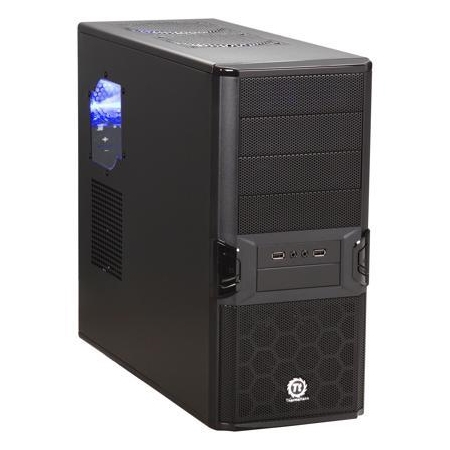
Super light weight and inexpensive!
Overall
Summary
Great value for under $50 with plenty of room for the everyday need.
Pros
Super light weight, inexpensive, quiet and quick install.
Cons
Larger video cards may not fit. No thumb screws (not major).
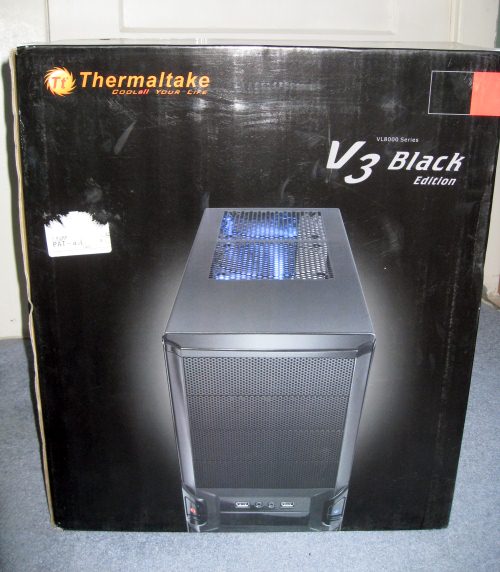
We recently received the Thermaltake V3 Black ATX Mid Tower PC Case to test. While it is not a gaming case or even an overclocker’s case, it is a case that you can use for an everyday computer that is also very cheap. Now, I have used many Thermaltake products so I expect a lot in the sense of quality from them.
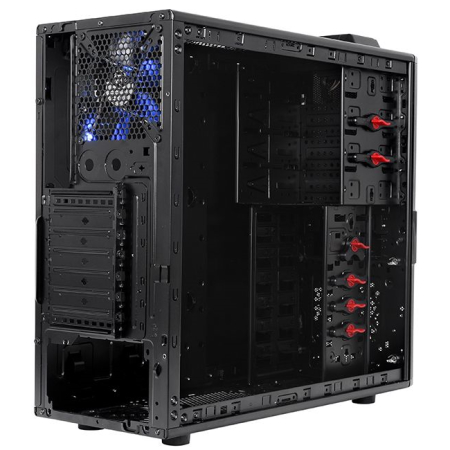
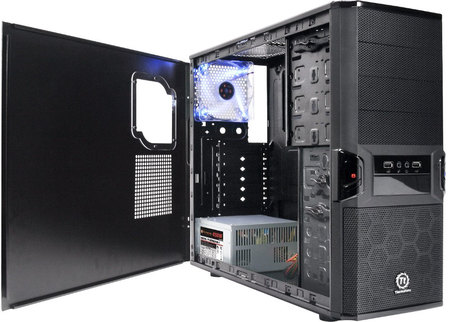
This case has an all-black exterior and also an all-black interior–nothing fancy. The front face is meshed with the power and reset buttons uniquely positioned. It only comes with one cooling fan that is preinstalled in the rear and also has a nice blue LED’s. So let’s see how this budget case held up in our tests.
EXTERIOR
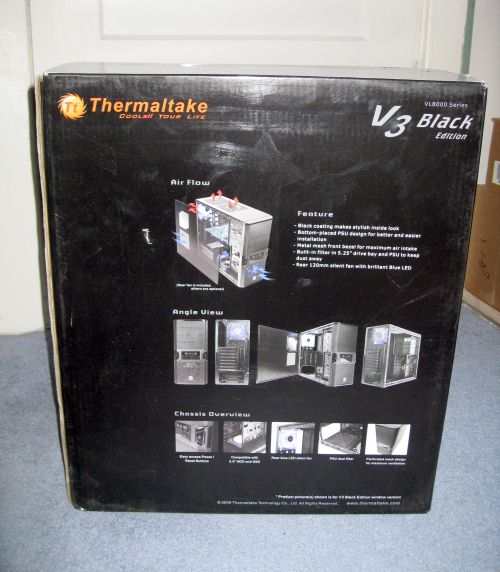
This case is all black inside and out (except for the blue LED on one of the interior fans). This case only came with one 120mm exhaust cooling fan with a blue LED. It gets the job done but I would recommend adding more of your own if you want better air circulation inside the case. There are many pre-drilled holes and space available to add fans–so that’s not an issue. There are pre-drilled holes on the top of the case that will help get rid of heat from the power supply. Like most other similar cases, this V3 Black has four rubber feet to elevate the case so air can flow in or out easily.
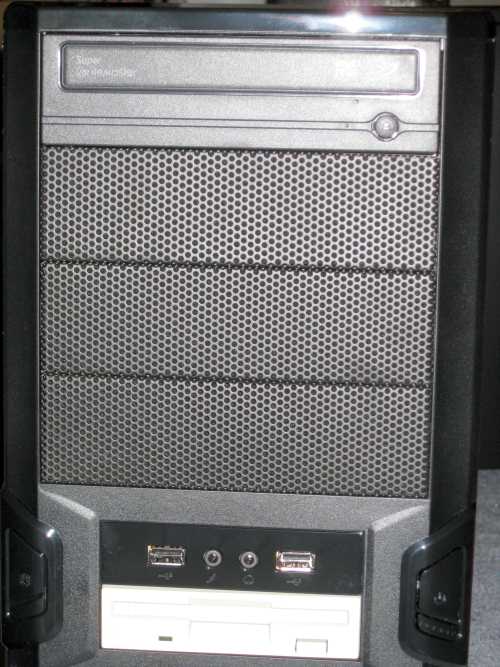
There are two USB, audio, and a mic port on the front panel for easy access. The power and the reset buttons are also located on the right side of the front panel. The power button itself has a blue LED while the hard drive LED is on the opposite side on something that looks like the power button–but it’s not. It’s fake but helps make the case look better. The front panel also easily comes off easily when you need to pop-out the covers for each optical drive bay. There are a total of five drive bays that you can use on the front. The very last one can be used for a floppy drive or card reader type of drives (2.5″).
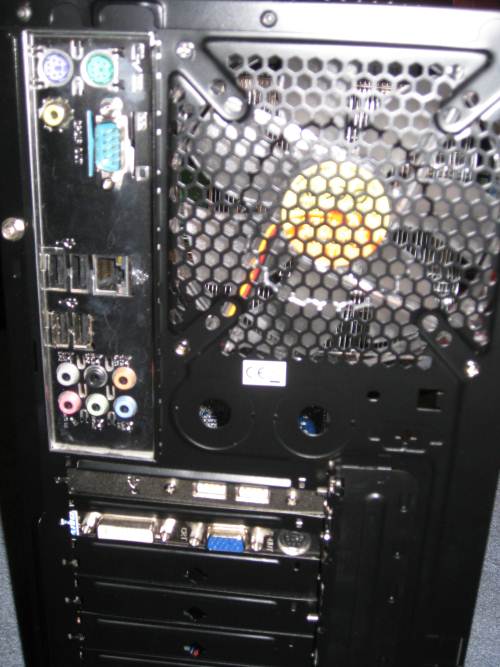
The rear-end has the usual expansion slot, power supply, and other motherboard port openings. It also has a 120mm exhaust fan vent and there are two holes that can be used for water cooling pipes. Other than that, the rear-end looks as good as it should.
INTERIOR
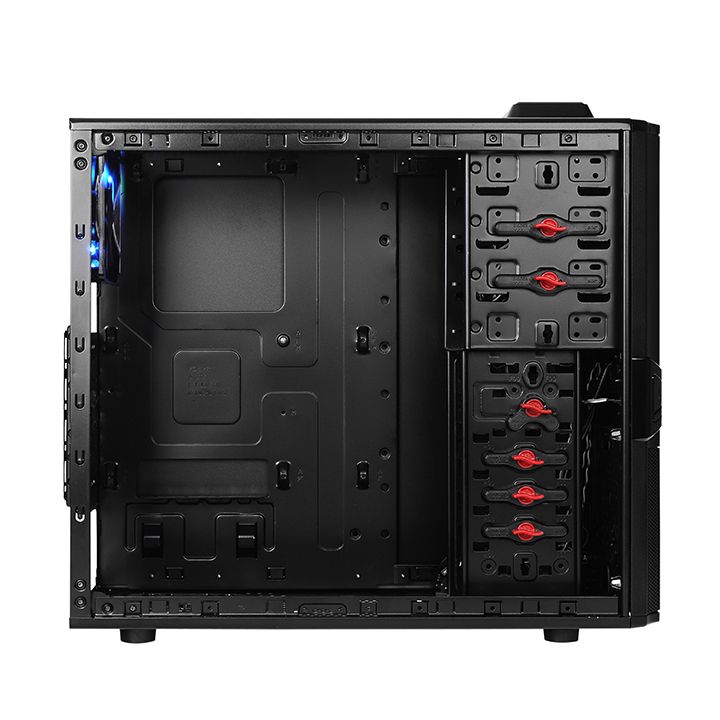
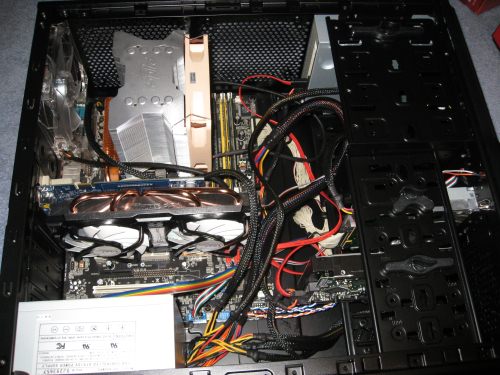
As I said, the inside of the case is also black. There is a small plastic window (right where you CPU heat-sink would be) on the side so you can see inside. Under that are pre-drilled holes for an additional fan (to cool your VGA card) if you wish to install one. There is a 120mm fan in the rear that pushes hot air out. There is a lot of room for additional fans to upgrade the cooling system. Thermaltake could have included some fans in the package, but this is a budget case so that’s not a big deal. There is space in front of the drive cage where you can install a fan to intake air to cool the HDDs. There are also allocated spots for additional fans on top and so on.
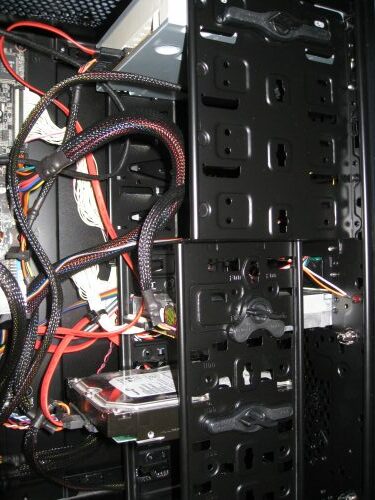
Since this is a small budget case, there really isn’t a drive case technically, but you do have the regular place to screw in the drives. You can install four hard drives which are way enough. It also sports five elevated screw holes for the motherboard, so you don’t need to screw in any more stand-off’s (besides the two or three already on there). All of the slot covers that also have holes in them and are held in place with screws. Basically, this case is full of holes in a good way that enables better airflow. The one thing that I liked the most about this case is the easy install lock devices that you can use to install HDD or optical drives. You don’t need screws anymore.
EXPERIENCE
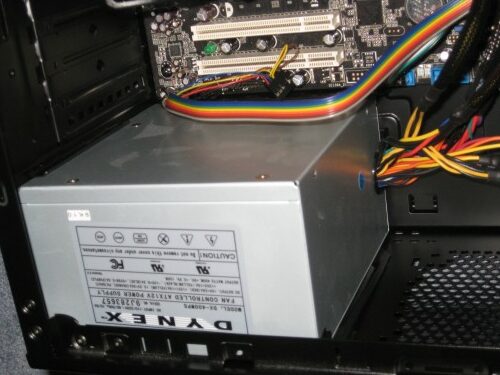
So after trying out the Azza Helios 910R case, I wanted to see what this Thermaltake V3 had. I installed my Asus M2N-E motherboard with my AMD Athlon 64 6000+ dual-core processor (yeah I should probably upgrade soon, but why when it is still working fine). I also installed the Spire TherMax II CPU cooler because that’s what I have been using for a while now. I have a decent PNY GeForce 7600 GS PCI-E video card installed. And to finish it off, I have a cheap and decent Dynex 400-watt power supply that does the job without hurting the wallet. Then I have a Maxtor 320 GB SATA hard drive with one SATA DVD-RW optical drive. Then I have my old and handy floppy drive just for the heck of it. I just can’t seem to let go of my floppy drive. Although, you can install a memory card reader in its place if you so wished.
I have had the system running smoothly for about a week now. One thing I would like to point out is that the power button has a little bit of a delay (1 second I believe). So if you are used to something where you just press and let go and expect the system to just turn on then this may be a little bit of a surprise. I am guessing this was put in place to reduce accidental power up’s and downs. But that doesn’t work for me, I prefer the instant gratification! Nowadays you just cannot live without USB ports, so to make life easier, there are two on the front panel. They come in handy when syncing my iPod, updating my TomTom, charging my Blackberry Storm, and running a portable application from my OCZ Rally2 Turbo USB drive. Then I have the audio jack that helps me to relax by allowing me to listen to my music while I multi-tasking. The overall setup and installation are easy if you have done it before and even if you are doing it for the first time. Just use your instincts if you can’t figure something out. You can always look at the manual which will tell you where everything goes.
FINAL THOUGHTS
I have tested many Thermaltake products and I can say that the V3 Black case is worth every penny you pay for it. It costs less than $50 (US) and has lots of room for the everyday consumer’s needs. The all-black design is perfect for any home computer but it doesn’t stand out and say that “I am a gamer.” But this is not a gaming case so that’s what we expect. I would highly recommend this case for anyone looking for a budget case for the home or small office needs. After thoroughly testing this case for about a week, I rate it 4 out of 5 and present it with our Best Buy Award.