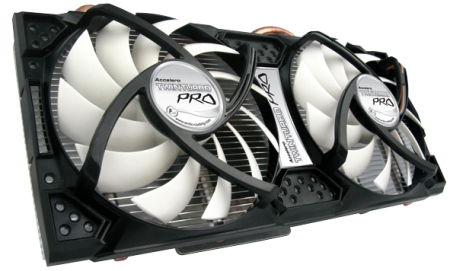
Ultra Quiet and Extremely Cool!
Overall
Summary
Easy, super quiet with extreme cooling power.
Pros
Easy to install, super quiet and with extreme cooling.
Cons
Install wasn’t as easy as I would have liked it to be but nothing major.
Recently, I have had been thinking about doing something about the heating problem of my graphics card. I had overclocked my CPU and in the process, the temperature inside the computer has increased. So whenever I play any little game or even do anything that is remotely somewhat intensive on the GPU the computer would shut down because of the graphic card overheating.
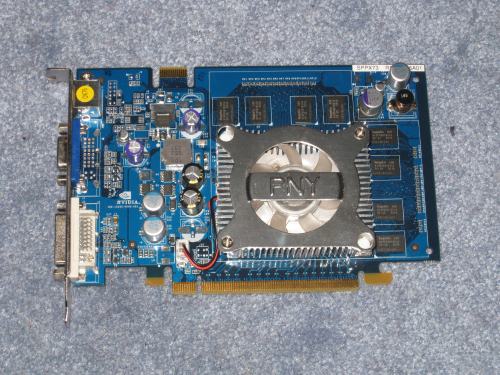
So I got the Arctic Cooling Accelero Twin Turbo Pro GPU cooler hoping to get rid of my issue. By the way, I have one of the old PNY Verto GeForce 7600 GS graphics card. While it may be a little out-dated for some, It still gets the job done very well. I am not much of a gamer so, I have no issues, but I do plan on upgrading sooner or later. So let’s see if this GPU cooler will save me from getting a newer video card or not.
LOOK AND FEEL
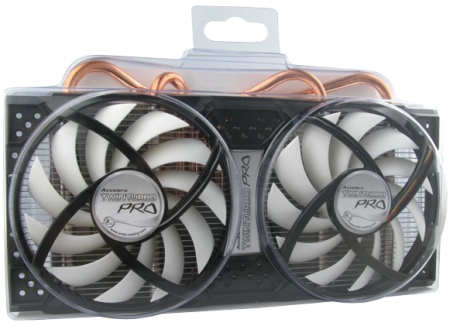
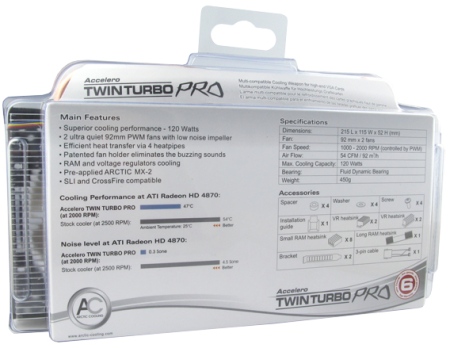
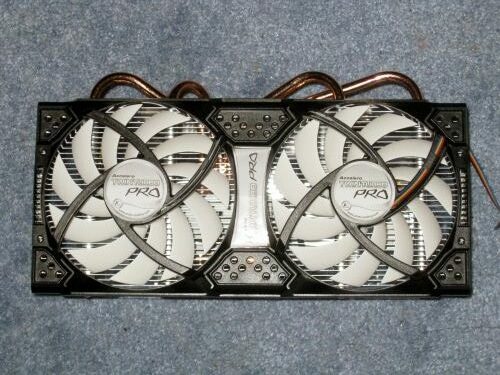
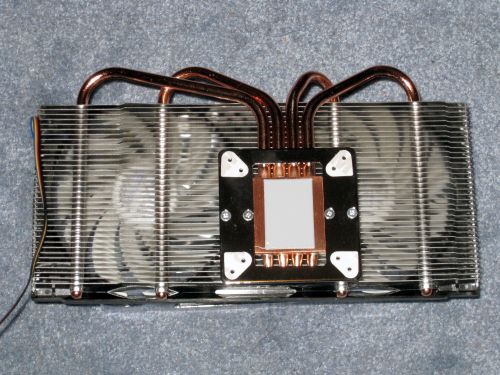
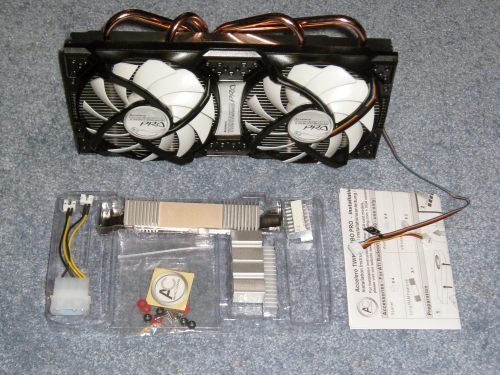
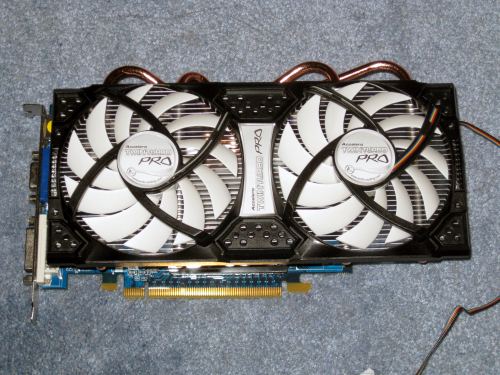
First of all, the Twin Turbo Pro is huge! I haven’t seen a GPU so big before, but then again I hadn’t looked at GPU cooling before. There are two eleven blade 92mm fans on this cooler which is a plus. There are 30 aluminum fins below the fans that are short or not very wide. This will make sure your overall card width is not interfering with anything else in your computer. There are four heat pipes that run from the aluminum fins to the copper base that contacts with the GPU. The base has an aluminum plate with 43mm and 53mm screw holes that will fit on most graphics cards. The base also has the Arctic Cooling MX-2 thermal grease pre-applied to it. There is also 3M adhesive on the mounting hole that helps keep spacers in place during installation.
INSTALLATION
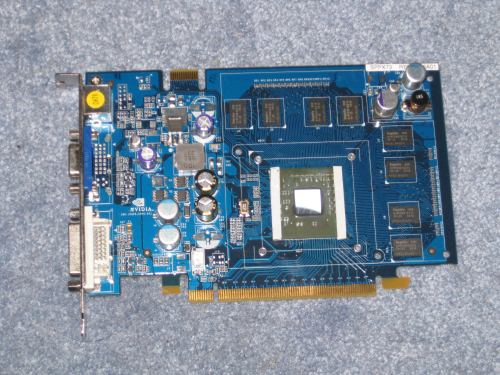
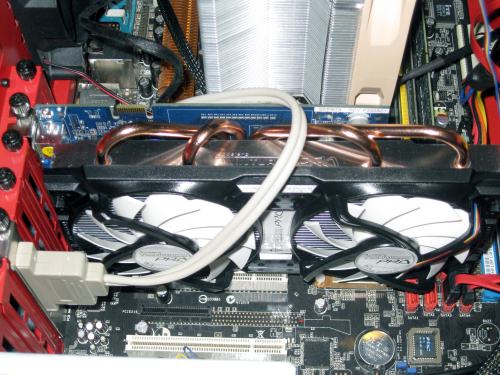
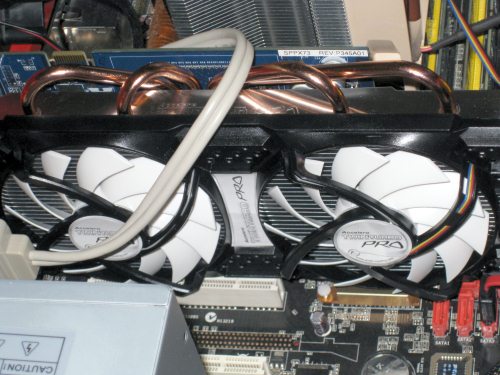
Like I said before, I will be installing this on my PNY Verto GeForce 7600 GS graphics card. This card is great and has worked non-stop for me for the longest time (close to 4 years I believe). So to give it some love back, I want to keep it cooler than it has recently been running. Let’s see if this old dog can learn new tricks. First and foremost, you have to remove the old/stock heat-sink/fan from the graphic card (duh!). After removing the stock stuff, clean off any old thermal grease from the core (you may also want to clean off any dust or dirt from other surfaces). I didn’t have to rub off anything with an eraser since none of the little heat-sinks fit on this card. So I just use the Twin Turbo Pro by itself. The most challenging part of the installation was making sure the tiny black spacers stayed in place while you aligned the Accelero on the card and screwed it on. Once installed the card looks a lot longer in size but also quite attractive at the same time. Despite the increase in the overall length of the card, it fits fine in the Azza Helios 910R mid-tower case without any trouble.
TESTING
To see if this GPU cooler is any better than the stock fan, I used SpeedFan v4.40 to monitor the temperatures at both idle and load for an hour each. I used FurMark v1.8.0 to stress test the GPU to get load temperatures. I chose FurMark because it will push the graphics card to the limit so we can get the true load readings.
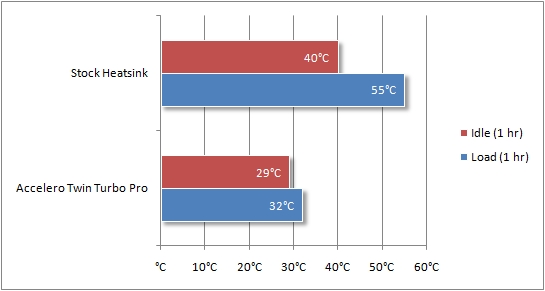
As you can see, the Accelero Twin Turbo Pro performed way better than the stock as expected. At idle the maximum temperature with the stock GPU fan was 40oC, but the Twin Turbo Pro brought it down by a whopping 11 degrees to 29oC. On load, however, the stock fan kept the temperature at around 55oC compared to 32oC with the Twin Turbo Pro. That’s a very nice 23-degree improvement. Now I can keep myself from upgrading the graphics card; for a little while anyway.
EXPERIENCE
I have been using the Arctic Cooling Accelero Twin Turbo Pro for a little over two weeks now and I am extremely pleased with it. First of all, it reduced the overall noise of my computer (I can’t hear it compare to the PSU and CPU fans) and also keeps the GPU way cool at all times. Installation was fairly easy as the instructions are clear and easy to follow. I also like the fact that it comes with all the necessary components needed for the best cooling performance. It is compatible with both ATI and Nvidia graphic cards. Since I have been using the Twin Turbo Pro to keep the GPU temperature down, my computer hasn’t shut down on its own because of the GPU overheating. Although it increases the overall length of your graphics card, it will still fit without any issues on any mid-tower case. I installed it on the Azza Helios 910R and also the Thermaltake V3 Black Edition mid-tower cases–didn’t have any issues with either one.
FINAL THOUGHTS
I am very pleased with the cooling performance of the Arctic Cooling Accelero Twin Turbo Pro and would highly recommend it to everyone. You will be very pleased and will not worry about the graphics card overheating ever again. I did run across some challenges during installation but those were all minor (the little heat-sinks didn’t quite fit on my card and the fan cable didn’t fit the connector on the card but I used the 4-pin Molex adapter that allows you to connect the 3-pin wire from the cooler and set the fans to either 7 volts or 12 volts). So, if you are looking for an aftermarket GPU cooling solution, I would highly recommend you get the Arctic Cooling Accelero Twin Turbo Pro because it costs less (less than $48), keeps your graphics card 20+ degrees cooler, and manages to keep the noise down as well. What have you got to lose here? Nothing!