
Quick and light weight tool for data recovery!
Overall
Summary
Great features, fast performance and recovers your deleted/lost/formatted files quickly.
Pros
Easy to use interface. Scan-disk feature is very quick. Small < 6 MB installer.
Cons
It may be a bit expensive regular home users. Doesn’t recover Outlook OST file data (for MS Exchange).
Have you ever deleted files or emails and then emptied your recycle bin just to realize that you just lost something that you needed or may need? Well, a lightweight and powerful data recovery tool can help you. The Stellar Phoenix Windows Data Recovery v4.x software can recover your lost data quickly and easily.
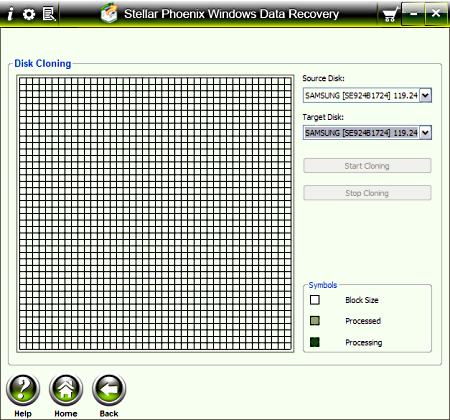
While it does cost about $100 US, it is worthwhile. It can recover files and emails that you deleted accidentally or even purposefully. You can also perform ultra-fast disk scans for errors. You can even recover files from badly corrupted drives also. This tool also allows you to clone a drive to another or just to save an image of a drive.
LOOK AND FEEL
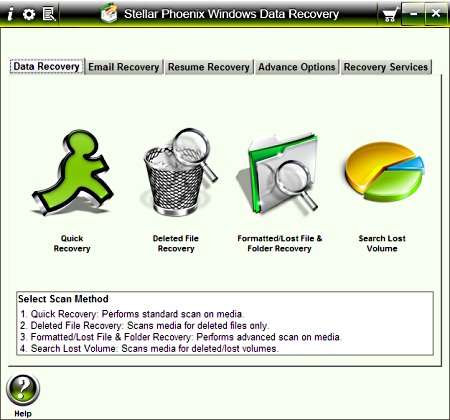
Stellar improved the look to be consistent with the trend nowadays. It looks much like Microsoft Windows 7. All the tools are efficiently placed and easily accessible. As you move your mouse over each icon on any tab, you get quick help right below it that tells you what that particular item does and how to use it (very useful).
INSTALLATION AND STARTUP
The installation was a breeze as it should be. Just run the setup executable file and follow the simple prompts and choose the default option to get it installed. I was not prompted to reboot my computer so that’s a plus. Once installed, you will see the “Stellar Phoenix Windows Data Recovery” icon on your desktop that you can just double click to launch the application.
SUPPORT INFORMATION
To learn more about Stellar Phoenix Windows Data Recovery Software, please call them on 1-866-554-2512 or you can email them at support@stellarinfo.com 24 hours a day Monday through Friday. You can also logon to http://www.partitionrecovery-software.com/support.php to find additional documentation, log a support ticket, or to browse their knowledge base.
THE TEST
I deleted a few files and emails and also made sure to clean out the deleted items and my recycle bin. I noted down the file names and the subject and time/date information for the emails. Then I waited until I sent and received more emails. I also saved some more files in the same location where I deleted the files from. Then I rebooted to start fresh.
RECOVERING EMAILS
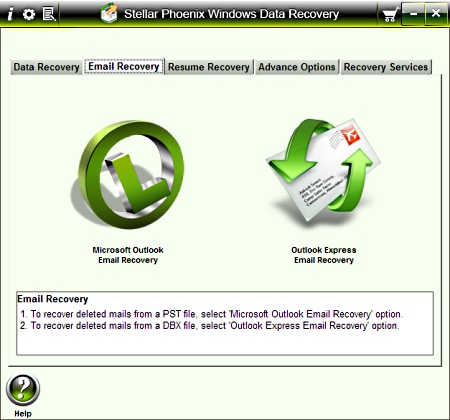
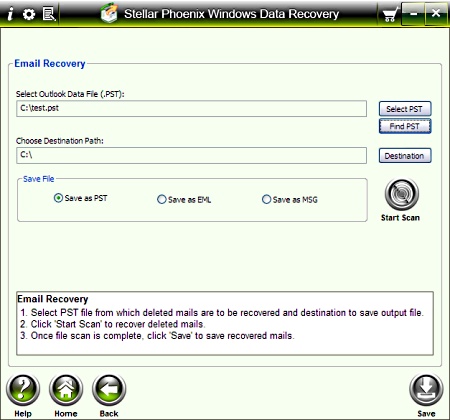
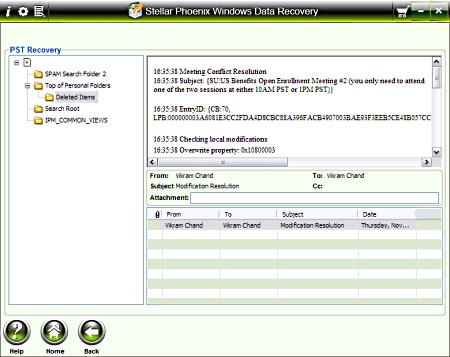
Switch to the “Email Recovery” tab and choose either Outlook or Outlook Express. Then just select the PST file for your emails or use the “Find PST” option to find it automatically (just select the drive). Choose the destination path of the recovered PST file and select if you want to save the recovered file as a PST, EML, or MSG file. I chose PST as it is the easiest to access. Then just click on the “Start Scan” button and wait a few seconds or minutes depending on the size of the PST file. Once that’s done, a screen will pop up opening the recovered file. You can then go back to Outlook or Outlook Express and open the recovered file from the destination path you specified. It should have the emails that you had deleted. On the other hand, this tool cannot recover emails if you are connected to a Microsoft Exchange server, in which case you have an OST file (not PST). If it did, this tool would be very useful in an enterprise environment.
RECOVERING DATA
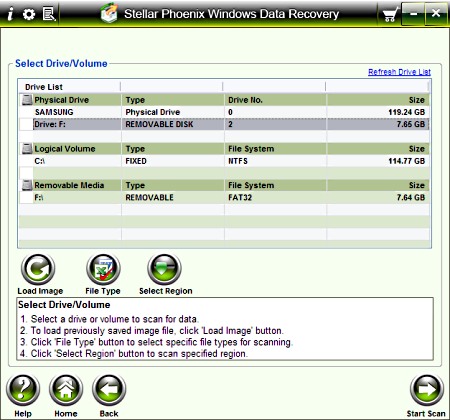
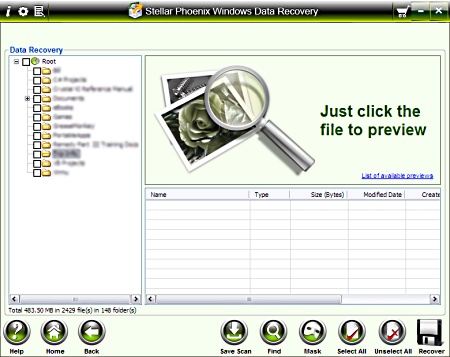
Switch to the “Data Recovery” tab if you are not already on that tab and select Quick Recovery or Deleted File Recovery. Select the drive you want to recover the files from and click on the “Start Scan” button. This will take a little bit because it has to scan your entire hard drive or flash drive to recover. But once it finishes you will see a tree view of your drive with the recovered files. Then just select the files or folders you want and click on the “Recover” button. There is always the option to save the scan if you want it to be available later.
OTHER USEFUL FEATURES
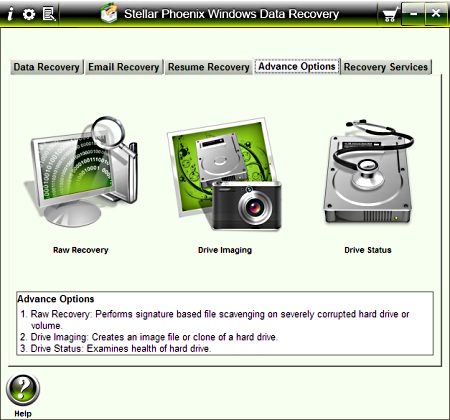
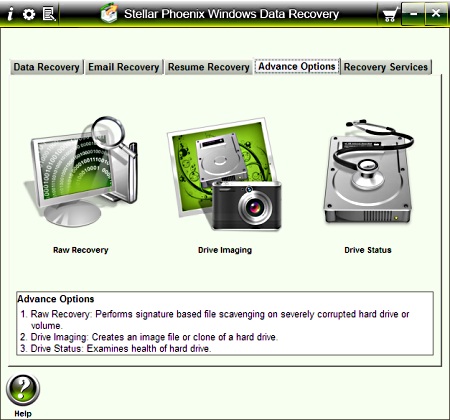
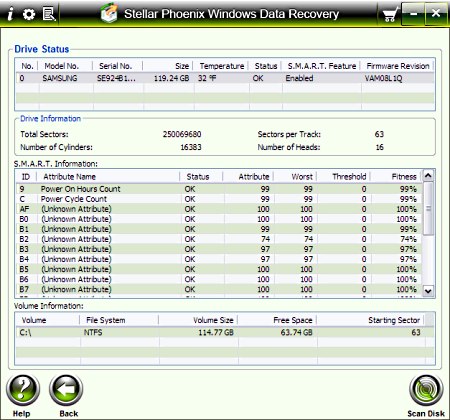
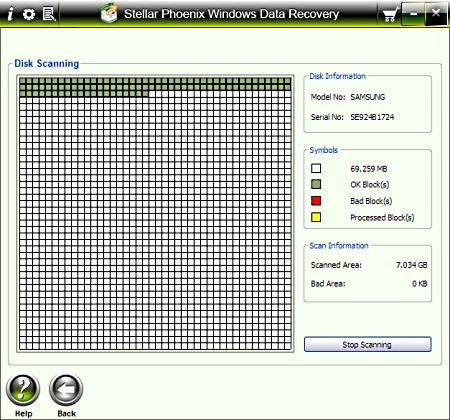
Some other useful features I noticed are on the “Advanced Options” tab. These include Raw Recovery, Drive Imaging, and Drive Status. Additionally, I also like the “Search Lost Volume” option on the “Data Recovery” tab that allows you to recover data from almost dead drives. With Ray recovery, you can easily recover or restore data when the logical drive is not found. With Drive imaging, you can save an exact copy of a drive as an image file for backup purposes. This can help you restore to an exact state if things go wrong. The Drive status option proves detailed information about any drive and also provides the option to scan the drive for errors. Scandisk scans your drive quickly and efficiently. This allows you to find physical issues with your drives.
FINAL THOUGHTS
I have used this Stellar Phoenix Windows Data Recovery v4.x software to recover emails and files both and have been satisfied with the results. I would recommend this to home or power users who are looking for an easy to use tool to recover data quickly. While this tool cannot recover OST file emails, it is still capable of a lot. You can also perform quick drive scans to see the status. The price tag may be a bit on the high side for some but it is worth it in the long run. You can try it before you buy it so that you don’t have any regrets later. They also provide a 30-day money-back guarantee if you do have any regrets.