Small and Fast!
Overall
Summary
Very nice eSATA controller card if you don’t have any eSATA port built-in to your motherboard.
Pros
Small, easy installation and fast data transfer.
Cons
None that I found.
USB 2.0 and Firewire have been around for quite some time but there is always the need for faster data transfers. We recently looked at what the new USB 3.0 interface can do and it’s no joke. The eSATA interface is supposed to be faster than USB 2.0 with a maximum of 6 Gbps data transfer rate and it comes very close to the speeds of USB 3.0.
Nowadays, we are dealing with larger home video files (because of HD) and still images have a lot more megapixels too. Transferring these huge files from one media or drive to another can be very time consuming if you don’t have the right interface. This is where the eSATA interface helps and makes transferring data painless. So we expect to see transfer rates faster than that of USB 2.0 but close or if not the same as USB 3.0. Let’s see if it really is as we expect or not.
WHAT IS ESATA?
eSATA was first introduced in 2004, which basically takes the internal SATA interface external (e = external). The eSATA interface is usually used in external storage enclosures but the USB 2.0 interface is more popular. Most external hard drive enclosures with FireWire or USB interfaces use either PATA or SATA drives and bridges to translate between the drives interfaces and the enclosures external ports and this bridging incurs some inefficiency. eSATA does not suffer from these issues provided that the controller manufacturer (and its drivers) presents eSATA drives as ATA devices, rather than as “SCSI” devices (as has been common with Silicon Image).
CLOSER LOOK
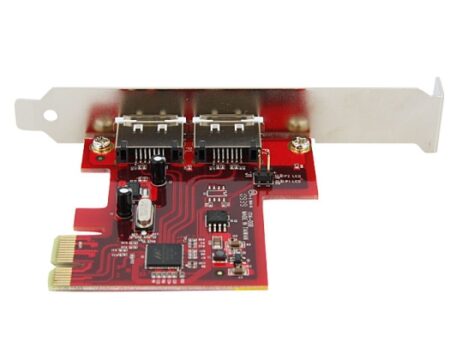
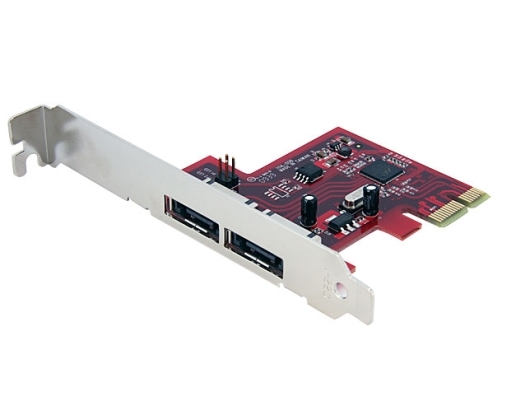
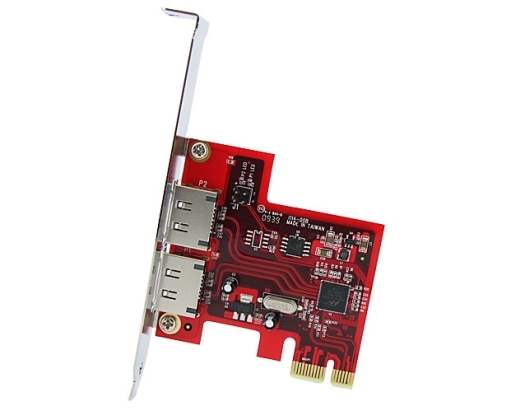
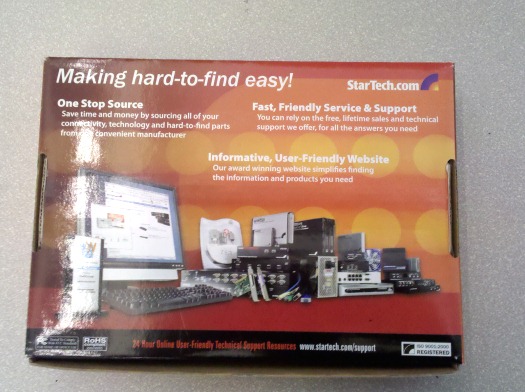
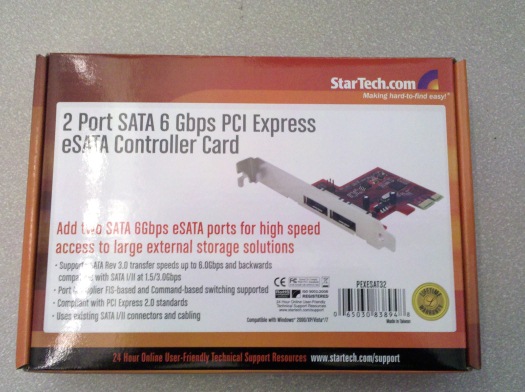
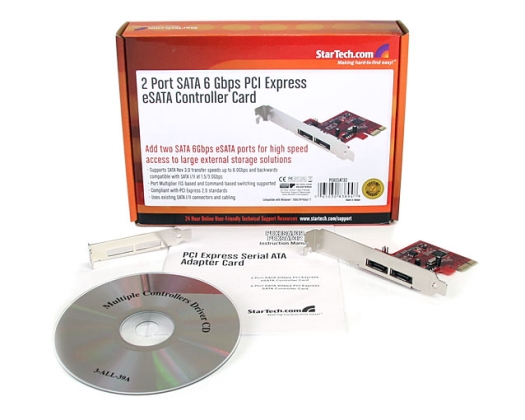
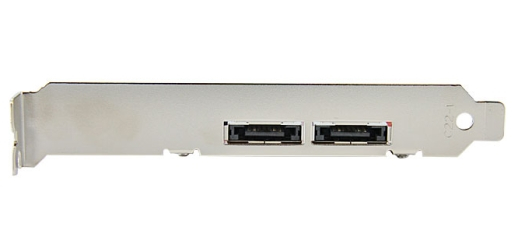
The front of the box tells you everything about the card and has a nice picture of the card itself. The back of the box is mostly advertising other product offerings from StarTech. They do have a wide range of products so feel free to check out their website. Inside the box, you will find the user guide, an installation CD, the card itself, and a half-height mounting bracket. The half-height mounting bracket can be used to install the card in smaller cases (think micro). There are two eSATA ports on the card. The card does not come with any eSATA cables, but that is expected because devices with eSATA interfaces usually do come with one (as far as I have seen anyways).
INSTALLATION
Installation was very simple. All you have to do is install the card in a PCI Express x4, x8, or x16 slot (I installed it on an x1 slot). Then power up your computer and use the included CD to install the drivers. But I had issues when installing drivers from the CD on Windows 7 Enterprise 64-bit. So, I went to StarTech’s website and download the latest drivers that worked fine.
TEST SYSTEM
| Motherboard | Gigabyte GA-870A-UD3 AM3 (USB 3.0) |
| CPU | AMD Phenom II X4 965 Black Edition 3.4GHz (4 cores) |
| RAM | G.Skill Ripjaws Series 4GB (2 x 2GB) 240-pin DDR3 PC3 12800 |
| Graphics Card | PNY GeForce Verto GTS 250 1GB |
| Storage | Seagate Baracuda 320GB SATA (3.0 Gb/s) |
| Power Supply | Thermaltake Thoughpower XT 775W |
| Optical Drive | Sony CD/DVD RW |
| PC Case | Thermaltake Element G |
| CPU Cooler | Noctua NH-C12P SE14 CPU Cooler |
| Operating System | Microsoft Windows 7 Enterprise 64-Bit |
| Drive Enclosure / Dock | Sunbeam Tech USB3.0 Airbox Thermaltake BlacX Duet |
| Test Hard Drive | Samsung HD501IJ 500GB SATA 3.0GBps 8MB |
TEST METHOD
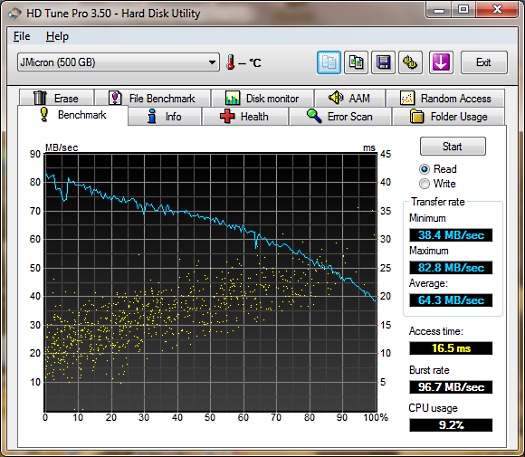
I will use a Samsung HD501IJ 500GB SATA hard drive in the Sunbeam Tech USB 3.0 Airbox hard drive enclosure and test the data transfer rates using HD Tune Pro 3.5. I will also use the same hard drive on the Thermaltake BlacX Duet eSATA/USB docking station to get eSATA and USB 2.0 transfer rates. Then I will compare all of the results to see which is faster.
RESULTS
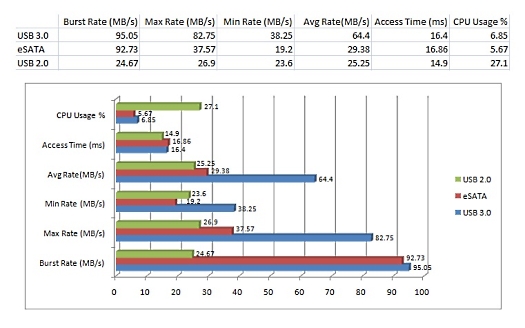
As you can see from the results below that USB 3.0 is clearly the fastest interface than both eSATA and USB 2.0 as expected, but eSATA is not too far behind. Looking at the chart, USB 2.0 uses the most CPU when transferring data and eSATA uses the least, but USB 3.0 CPU usage is a huge improvement overall. I saw average transfer rates of 25.25 MB/s (maxed out at 26.9 MB/s) with USB 2.0, 29.38 MB/s (maxed out at 37.57 MB/s) with eSATA, and 64.4 MB/s (maxed out at 82.75 MB/s) with USB 3.0. While eSATA is not the fastest, it still packs a punch. You will not be disappointed at all.
FINAL THOUGHTS
I have used this StarTech PCIe eSATA adapter card for a few weeks now and it does not disappoint at all. eSATA has always given me great data transfer rates because it comes very close to USB 3.0 speeds. This card is not too expensive for the performance it delivers; you can probably find it for around $36 to $56 online. The installation is very easy and straight forward and the manual explains everything well. eSATA will definitely be around for a while and will not disappoint at all. I would rate this card 4.5 out of 5 and present it with our Highly Recommended award.