
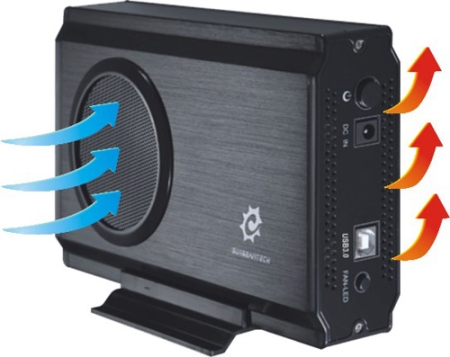
Easy compact and cool!
Overall
Summary
A very fast USB 3.0 enclosure with great limits.
Pros
Up to 2TB limit, solid design and includes everything you need.
Cons
Installation could be easier–maybe add a door (get rid of the screws).
Hard drive enclosures are now beginning to adopt the USB 3.0 interface which is supposed to blow USB 2.0 and any other interface out of the water. Today we are testing the Sunbeam Tech Airbox USB 3.0 Enclosure to see how much faster it really is. The Airbox can handle 3.5″ or 2.5″ (won’t be secure) drives. We will test it with our Samsung HD501IJ 500GB SATA 3.0GBps hard drive. Unlike other compact enclosures, this one has a cooling fan with LED, so it cools while looking cool at the same time. It can support drives up to 2TB (terabytes) so you have a lot of room to expand. Let’s see how fast it really is.
DESIGN, CONTROLS, AND PACKAGING
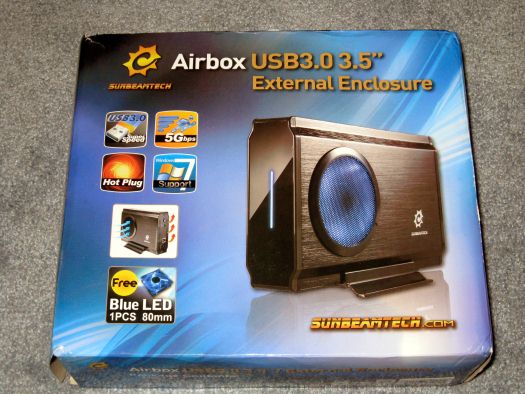
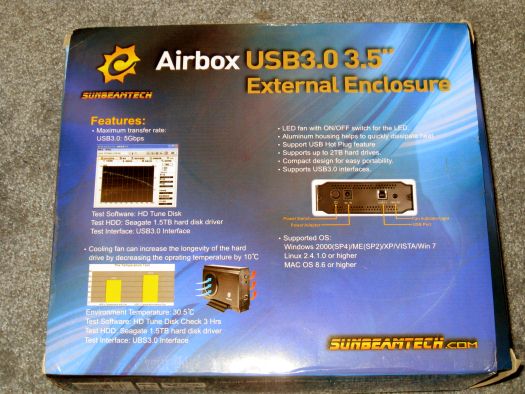
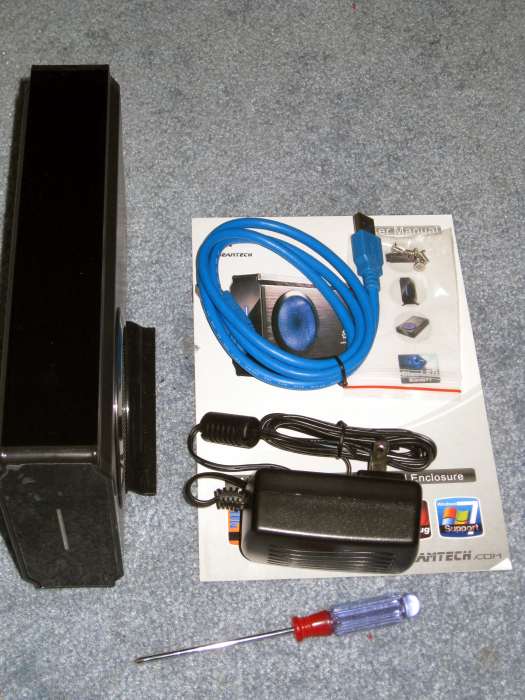
The Airbox is packaged in a very easy on the eyes box. Lots of pictures on the front of some of the major features like USB 3.0, 5GBps, Windows 7 compatibility, and more. The back lists some more features such as the fact that it supports Windows 2000 SP4, Linux 2.4.1.0, and Mac OS 8.6 (or anything later than these). The back also has some test results and other minor features like LED and up to 2TB support. One of the sides lists the package contents and the other lists the specifications. Inside the box, you will find the Airbox itself, a mounting stand, a USB 3.0 cable, an AC power adapter, an accessory pack (screwdriver and screws), and of course the user manual. The other two sides have the Sunbeam Tech logo and the product name.
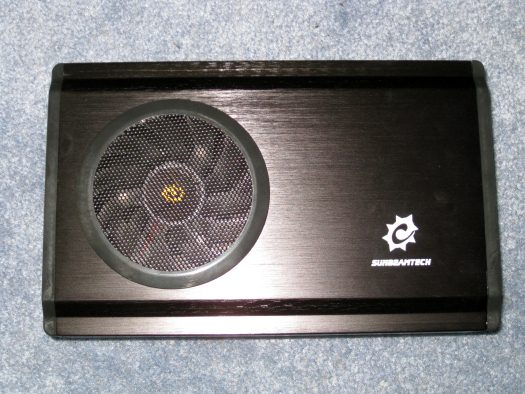
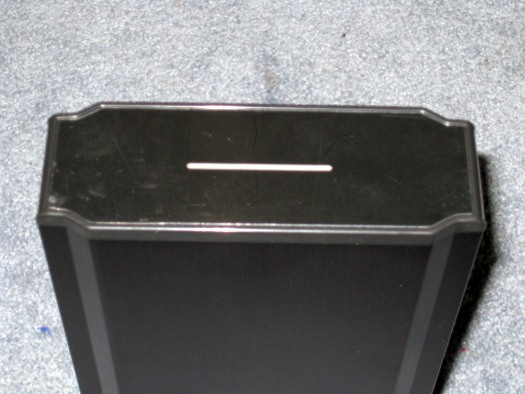
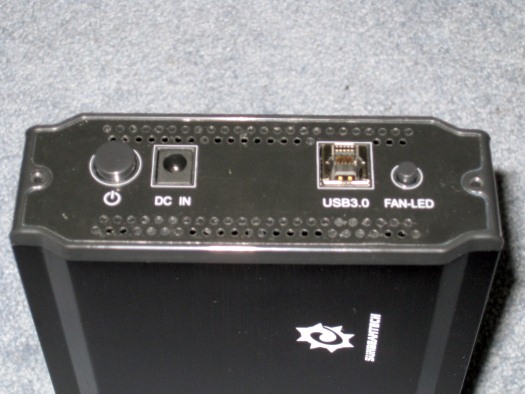
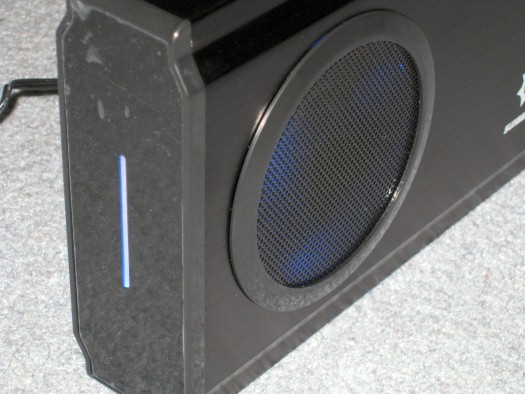
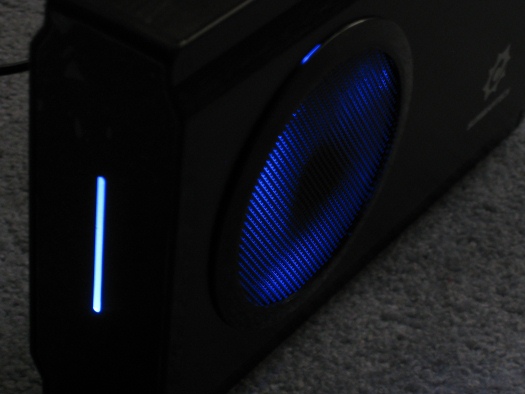
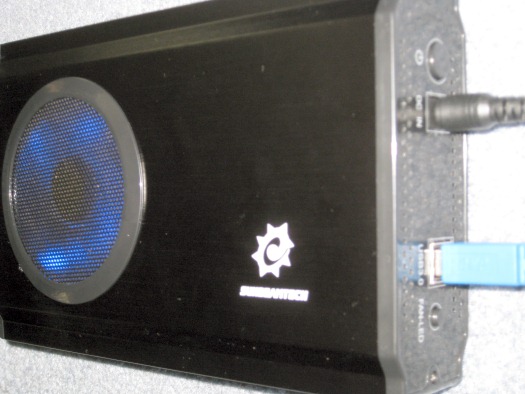
The overall exterior of the Airbox is clean looking and solid. While I don’t really care how it looks as long as it does what it says but doesn’t hurt to look good while you are at it. The front of the enclosure has a vertical blue LED that indicates the status. Steady light means power is on and the drive is idle. Flashing light the drive is currently being accessed. The left side has the cooling fan grill and the right side is just plain. The back has the power button, DC in, USB 3.0 port, and the FAN LED on/off switch. One thing I noticed is that your fingerprints tend to easily stick on the outside.
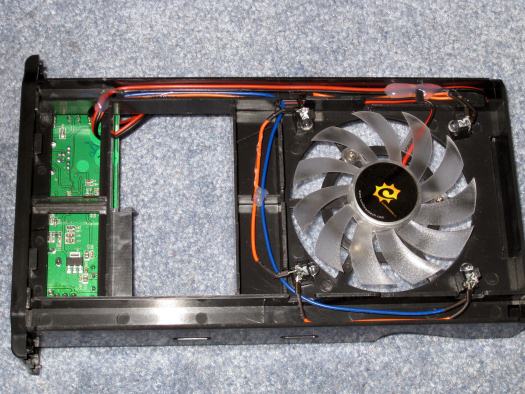
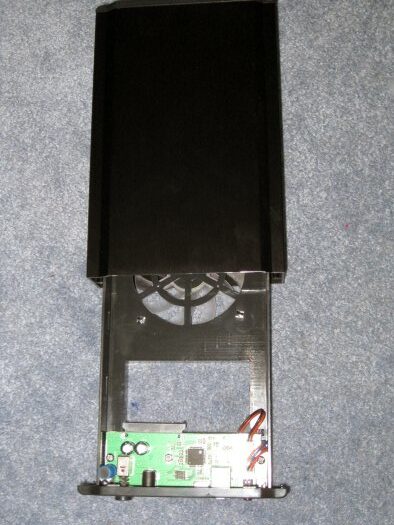
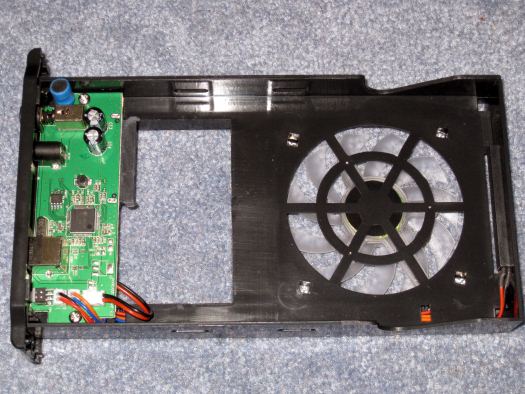
There are two small screws on the back that you will need to remove to slide the drive tray out. The tray has the PCB on the back where the hard drive will connect to the SATA II connector. You can also see the 80mm fan on the other end. The fan is plugged into the PCB on the front.
INSTALLATION
The installation is pretty straight forward–put it in the carrier, slide it to plug it in properly to the SATA II connectors, secure it with a couple of screws (provided), slide the whole thing back in the enclosure, and replace the two screws. Then just plug in the USB 3.0 and power adapter and you are all set to go.
TEST SYSTEM
| Motherboard | Asus M2N-E |
| CPU | AMD Athlon 64 X2 6000+ Dual core |
| CPU Cooler | Thermaltake Frio Cooler |
| Graphics Card | PNY GeForce Verto GTS 250 1GB |
| Hard Drive | Samsung HD501IJ 500GB SATA 3.0GBps |
| Optical Drive | Sony DVD-RW drive |
| Power Supply | Thermaltake Toughpower XT 775W |
| PC Case | Thermaltake Element G |
| Operating System | Microsoft Windows 7 Enterprise 32-bit |
TEST METHOD
I will use a Samsung HD501IJ 500GB SATA hard drive in this Sunbeam Tech enclosure and test the data transfer rates using HD Tune Pro 3.5. I will also use the same hard drive on the Thermaltake BlacX Duet eSATA/USB docking station to get eSATA and USB 2.0 transfer rates. Then I will compare all of the results to see how much faster USB 3.0 really is.
RESULTS
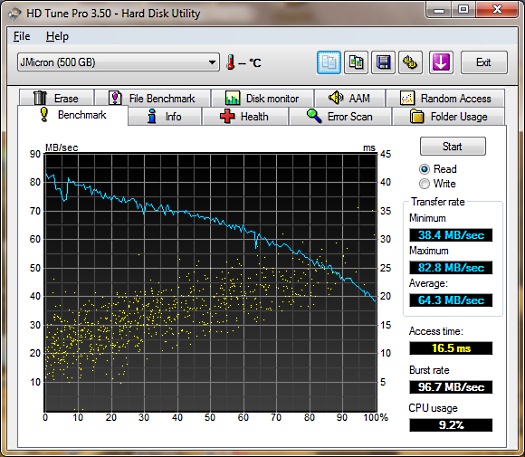
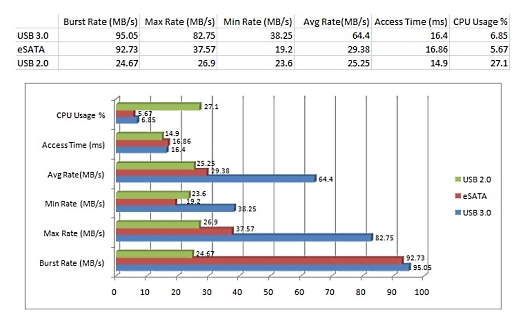
As you can see from the results below that USB 3.0 is clearly faster than both eSATA and USB 2.0 as expected. Looking at the chart, USB 2.0 uses the most CPU when transferring data and eSATA uses the least, but USB 3.0 CPU usage is a huge improvement overall. I saw average transfer rates of 25.25 MB/s (maxed out at 26.9 MB/s) with USB 2.0, 29.38 MB/s (maxed out at 37.57 MB/s) with eSATA, and 64.4 MB/s (maxed out at 82.75 MB/s) with USB 3.0. So with some of these real-world tests, we can see what USB 3.0 has in store for us. I don’t think it will disappoint us at all. We should start seeing more and more USB 3.0 devices in the market soon.
FINAL THOUGHTS
I have the SunbeamTech USB 3.0 enclosure for a few weeks now and it does not disappoint at all. This enclosure is inexpensive for the performance it delivers; you can probably find it for less than $50 at online stores like newegg.com. The installation is fairly easy and simple but you need a screwdriver (supplied). USB 3.0 will definitely not disappoint at all and it will be around for a decade if not more (just like USB 2.0). I would rate this enclosure 4 out of 5 and present it with our Highly Recommended award.