
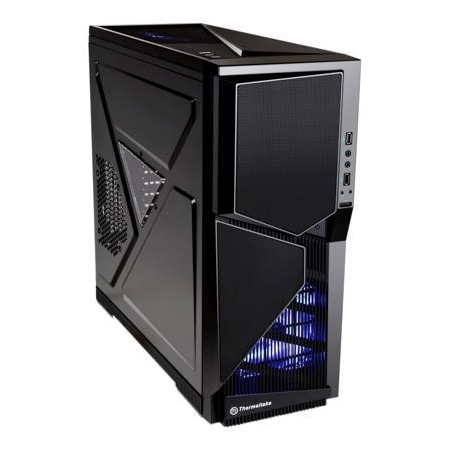
STOP! This is a good computer case.
Overall
Summary
The Thermaltake Armor A90 looks great and is packed with features that will please almost any computer builder.
Pros
Dual air filters, dual water cooling inlets, includes 200MM fan and 11 drive bays.
Cons
Does not include power supply.
WAIT! Before you move to another page, searching for a good computer case, you need to know about this one. The Thermaltake Armor A90 VL90001W2Z is an advanced system case that is designed to deliver robust air cooling and drive expansion capabilities.
The futuristic, battle themed design not only makes this one of the most attractive platforms to build your next computer in but also adds the durability you need to take your computer to gaming conventions. Underneath the hood, you will find plenty of room for all of your gaming needs! You can fit multiple Nvidia GeForce GTX 480 video cards inside and even make use of a dual Intel Xeon motherboard to have a computing powerhouse in the comfort of your own home. Multiple cooling fans are included with options available to install even more if you should so desire. With both side panels easily removed, the only thing I really needed to do was find some Arctic Silver thermal compound and install an ASUS motherboard to get this computer case running, less than one hour later.
You likely have many questions about what the Thermaltake Armor A90 can really do for you. In this review, I outline all of the major features and provide numerous photos that detail the design and cooling performance that you can expect from this high-quality product. Does the 200MM, high volume, the fan actually affect processor temperatures?
YOUR SHIPMENT OF GAMING ARMOR HAS ARRIVED!
In the past, shipping a new computer case to your home was a fearful experience. Today, Thermaltake has mastered the packaging of their products by using insulating foam pieces along with a tough cardboard box to prevent any damage from occurring. In the photo below, you can see how the Armor A90 appears in its shipping box.
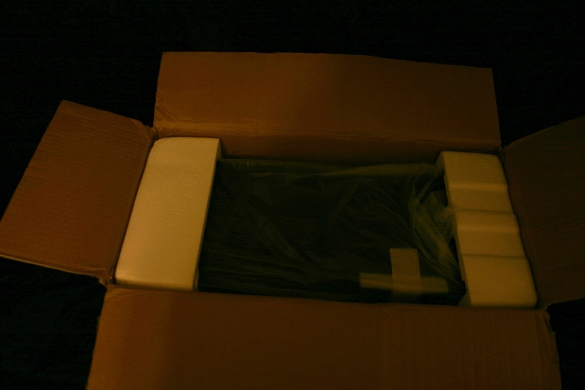
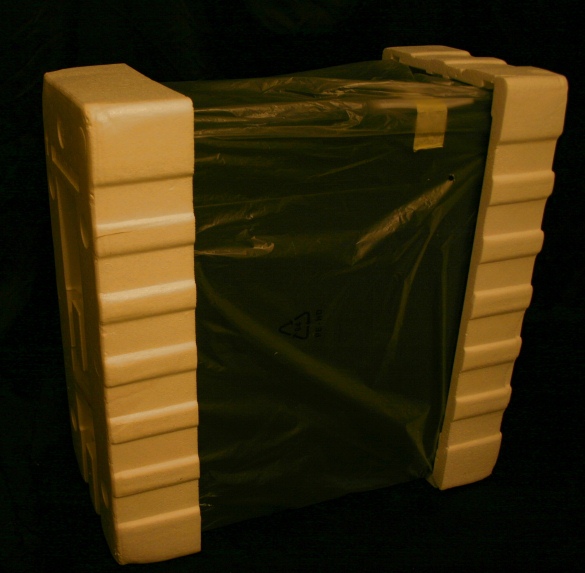
The Armor A90 is encased in two large pieces of Styrofoam and has a large plastic bag that keeps the paint safe.
THE ARMOR A90 APPEARANCE
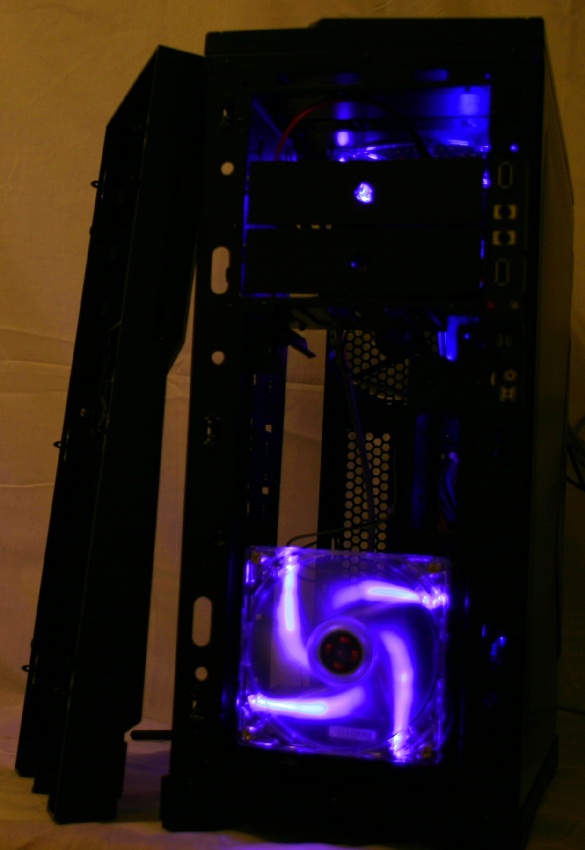
Top and front blue LED-fans add to the overall combat experience when looking at this innovative gaming case. Their blue light shines brightly through the dark mesh grating at night to give a truly armored appearance to your computer. A large transparent side window gives us a view inside the computer case. You can also mount a 120MM cooling fan on this side panel to push air directly over your video cards.
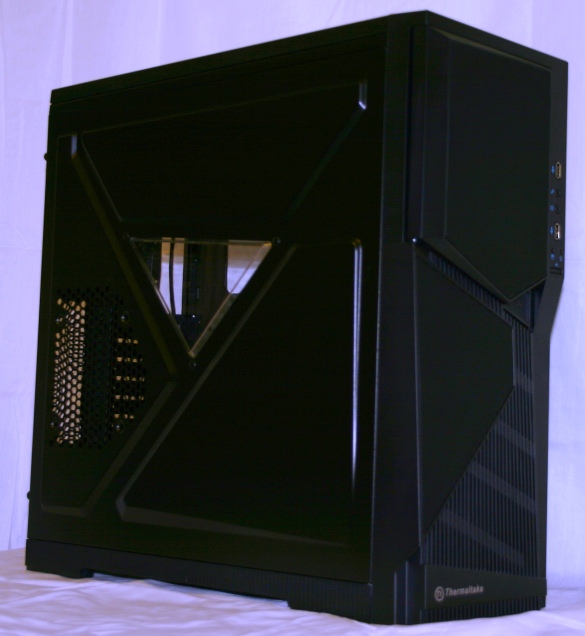
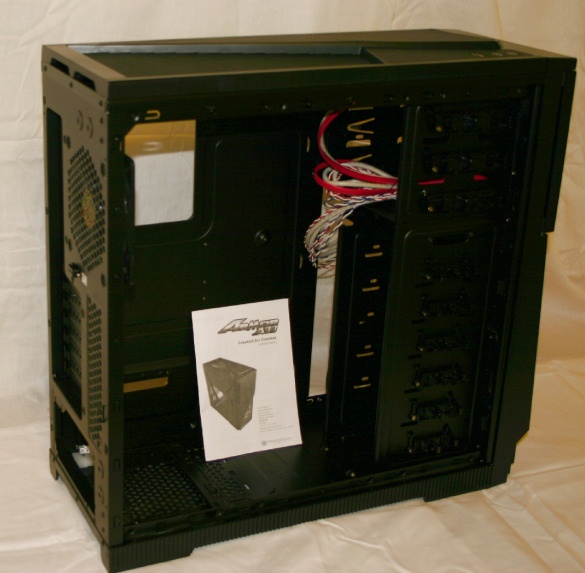
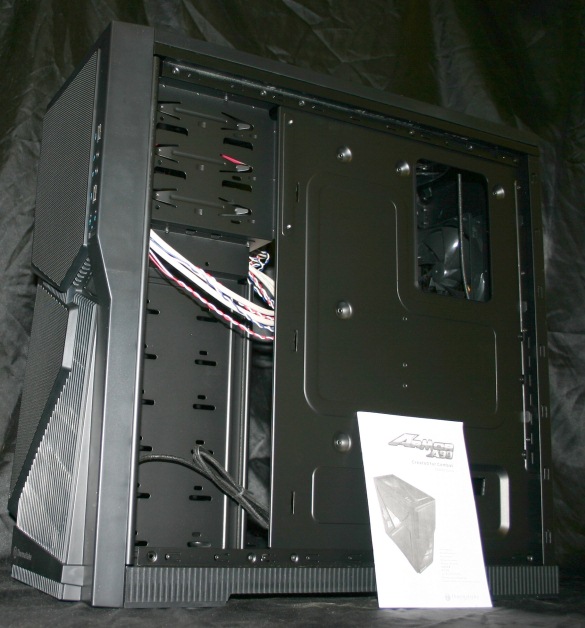
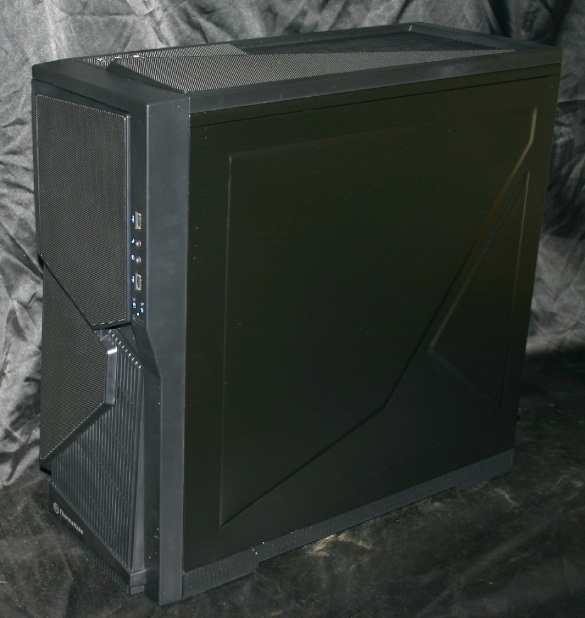
You will find several easy access I/O ports on top of the computer chassis. Located on the top left-hand corner are E-SATA and USB ports so you can plug in an external USB drive or hard drive instantly without having to open the case itself. I found this a very handy feature when trying to find some old Canon EOS Rebel digital photos that I had taken years ago and stored on an 80Gb SATA hard drive.
To protect your possessions in public, there is an integrated keyboard and mouse security lock that allows you to take the Thermaltake Armor A90 to gaming conventions so you can bring your Call Of Duty skills on the road without worry of theft.
FLEXIBLE CASE DESIGN ALLOWS FOR NUMEROUS MODS
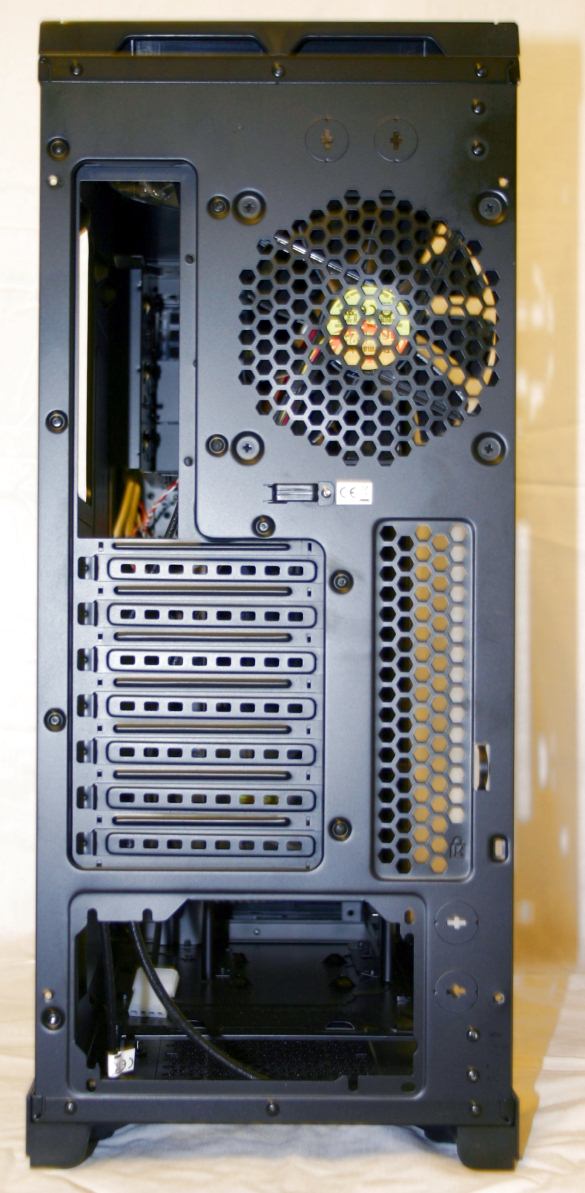
The spacious interior of the Thermaltake VL90001W2Z case allows you to fit a wide variety of aftermarket accessories and customize your computer to specific needs. You can place a standard ATX or micro-ATX motherboard in the Armor A90 case. On the back panel, you will find 7 expansion slots which means you can easily fit up to four video cards in this system if you so choose.
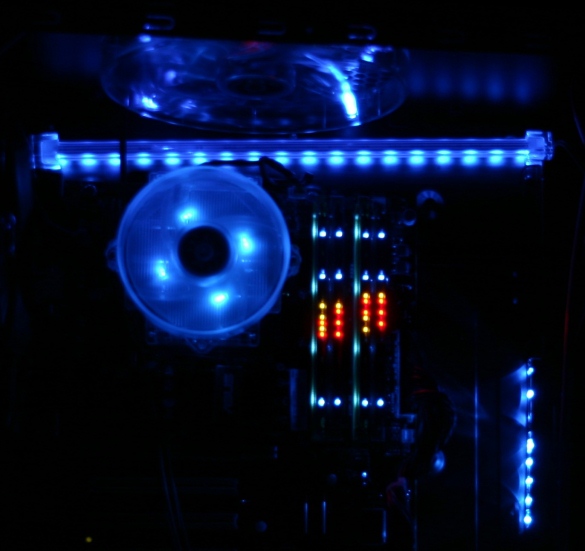
My system focused on processing power. At one point, I installed an Evercool HPH 9525EA CPU cooler in this case. The four bright, blue, LED lights created a spectacular show on the ASUS P5QL VM motherboard. In the background, a single 12-inch Logisys ML12BL blue led bar can be seen.
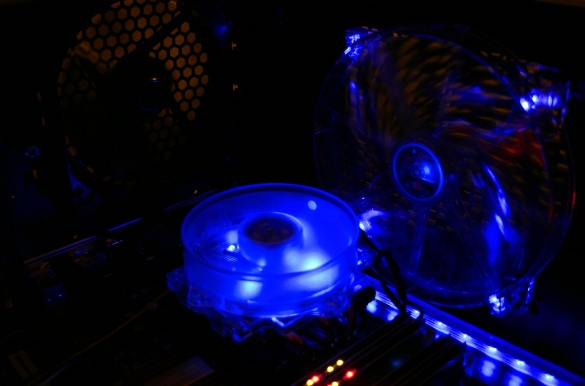
Here in this photo, you can see the effect that two sets of Crucial Ballistix Tracer 2GB (1GBx2) DDR2 1066 will have in this Thermaltake computer case.
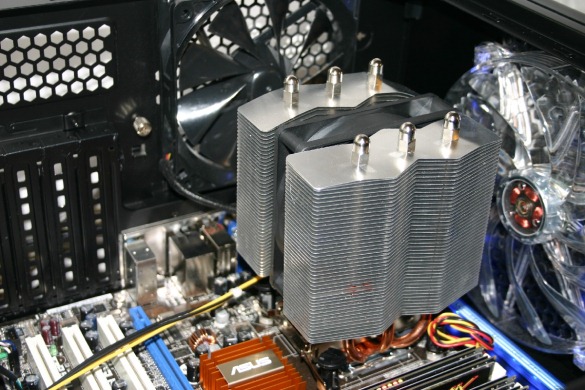
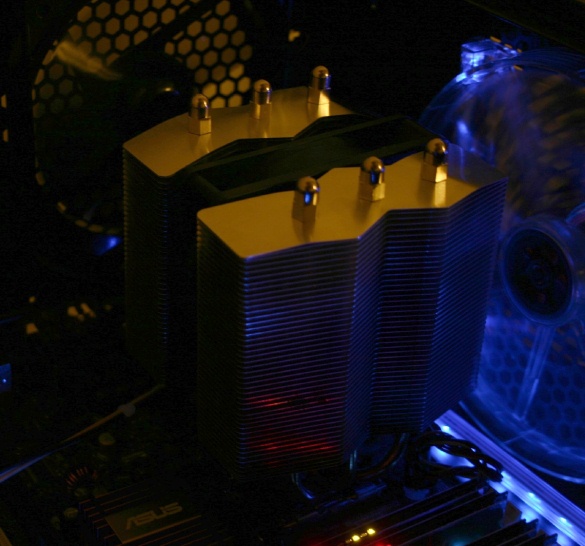
The Scythe Mine Cooler Revision B will easily fit within this black Thermaltake Armor A90 case. You can also see that both rear cooling fans are close to the heat-pipe CPU cooler which aids in removing any thermal energy from your Socket 775 processor.
ANALYSIS OF THE ARMOR A90 COOLING SYSTEM DESIGN
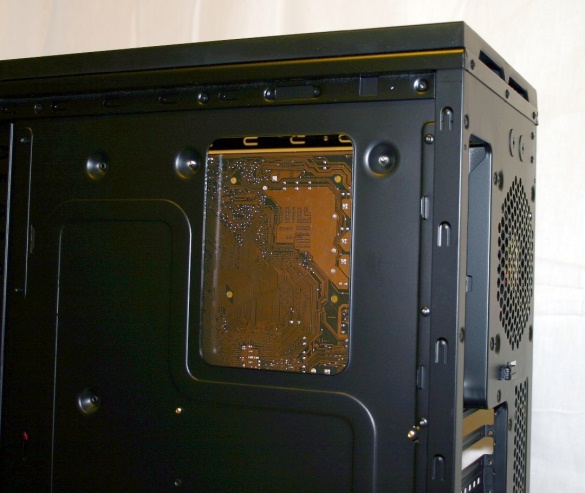
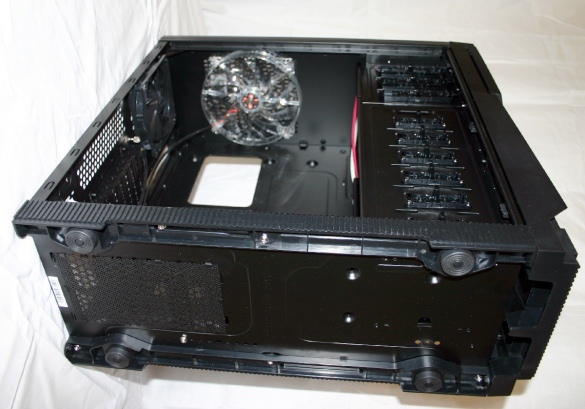
The Thermaltake Armor A90 computer case, a VL9000 series product, offers many one of a kind features that any system builder will appreciate. The spacious interior keeps these fans out of the way of your components while at the same time creating a vast area for efficient convection forces to take hold.
HDD Air Cooling System
Today, we build custom computer systems to store huge digital libraries of Blu-Ray movies or Apple iTunes files. To get this accomplished, we need numerous solid metal drive bays that can support 2.5”, 3.5”, and even 5.25” drives and give them the cooling they deserve. The Armor A90 does this quite easily with a continuous line of drive bays that extend from the top to the bottom of the entire front section of the massive black metal case. In front of these bays is a massive 120 x 120 x 25 mm cooling fan that provides consistent airflow for your hard drives. For those of you who have discovered the speed of SSD drive arrays, this Thermaltake product is also compatible with them. Imagine the possibilities of mounting four Kingston SSDNow V+Series 512Gb SATA SSD drives in a single 5.25” bay using the Max-1542 back-plane HDD cage in this case!
Advanced CPU Air Cooling System
Cooling the processor in your computer is the best way to unleash hidden performance while gaming. Whether you like World Of Warcraft or want to conquer DC Universe Online, the only way you are ever going to dominate your opponents is through a solid processor. All high-end computer processors require lots of cooling. For example, the Intel Core i7 980X Extreme Edition 3.33GHz processor puts out over 130 watts at stock speeds and can crank out over 150 watts when overclocked. To meet these demands, you need a good cooling system. The Thermaltake Armor A90 delivers with a monstrous 200 x 200 x 20 mm blue LED fan that is mounted in the top of the case. Once you place your motherboard in this Thermaltake case, you will discover that the 200mm fan is less than 2 inches away from your processor and pulling from a vast area around it. To aid the cooling fan, the top of the computer case is made of a black armor design with metal mesh elements that allow air to pass through but still giving that rugged grill appearance to block any stray objects that might try to fall in from above.
In addition to the 200MM fan that is mounted right next to your computer CPU, a 120 MM fan is jetting air out the rear of the Armor A90 case.
VGA Air Cooling System
On the left side panel of this system case is a large 120MM cooling fan mounting port. You can blast up to two Nvidia GeForce GTX 480 video cards at once with this optimized cooling design.
The Armor A90 Supports Liquid Cooling
Do you think air cooling is for newbies or frag meat? If you want to push your Intel Core i7 980X Extreme Edition 3.33GHz processor to even higher levels of gaming power for DC Universe Online then you will appreciate the liquid cooling in the Armor A90. At both, the top and bottom of this bulletproof case are two reserved holes for liquid cooling piping. You can install two separate cooling systems: one for your Nvidia GeForce GTX 480 video cards and one for your Intel Core i7 980X. The piping exits out the rear of the case so you can game in quiet while high-pressure pumps are cooling off your valuable graphics processors.
ULTRA HIGH CAPACITY POWER SUPPLY SUPPORT
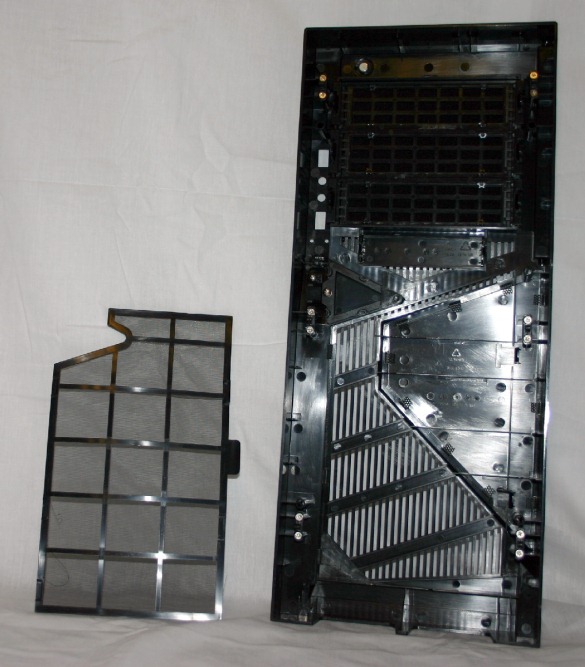
Integral to the design of this computer case by Thermaltake is a bottom mounted power supply bay. The PSU is allowed to draw cooler air from underneath your computer case rather than pulling it from over top the Intel Core i7 or AMD Bulldozer AM3+ which both put off a large amount of heat. Since the air moving across the copper coils and diodes inside the power supply are cooler, you can feel safe installing a 1000 watt or 1200 watt power supply in your computer case without having to worry about losing your investment to heart failure. As icing on the cake, Thermaltake even provides us with a removable PSU filter so you can stop dust and debris from getting into your equipment. Looking towards the long term life and stability of your power supply is yet another way that the Thermaltake VL9000 series products deliver outstanding performance.
DRIVE BAY CAPACITY
With the Armor A90 computer case, we are given a total of 11 drive bays to mount our favorite storage electronics in. You can find many uses and drive combinations with this spacious case. You could almost call it a server case but that would just not do its rugged yet sinister appearance that cries out extreme speed.
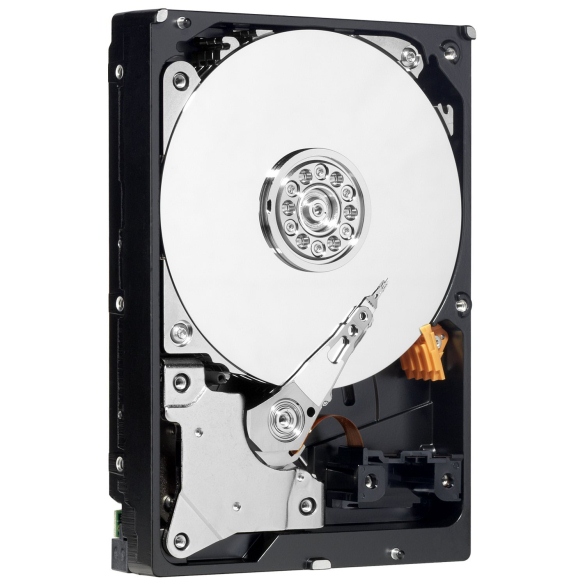
3.5”, SATA 2” Terabyte hard drives are very popular right now due to their vast amount of space and high access speeds. You can fit six of these beasts in the 3.5” drive bays in this Thermaltake product. If your Socket 1366 motherboard has at least six SATA ports you can create a 6 Terabyte RAID 0 array on your computer. I used several Western Digital WD1002FAEX SATA hard drives in this case because the thick metal interior and solid base seemed to make them much quieter when used in daily operation.
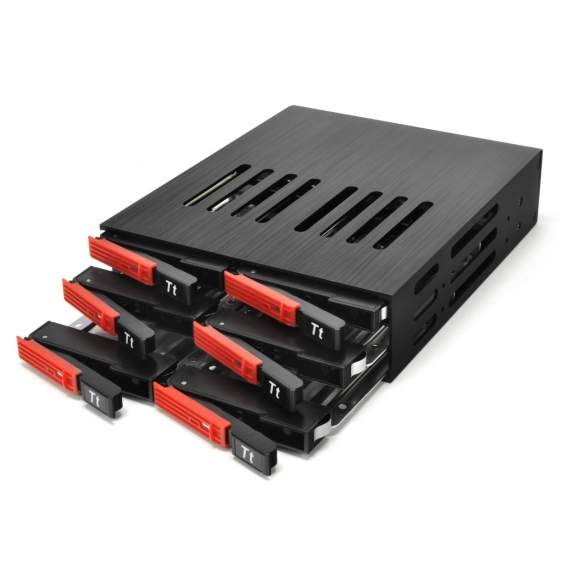
The top 5 ¼” drive bays are massive steel rooms by today’s standard of micro hard drives and ultra-slim external, USB 3.0, DVD drives. The three 5.25” drive bays in the Thermaltake Armor A90 can have special drive cages installed to add up to 18 2.5” SSD SATA or SAS hard drives. You create a massive hard drive away in your desktop computer to store anything collection of Blu-Ray movies. A Thermaltake MAX-1562 Backplane HDD Cage is a power-packed device that even allows for hot-swapping of your 2.5” SSD hard drives. I work with 2.5” SAS drives on a daily basis and enjoy their portability boosted by ultra-fast transfer speeds when compared to SDHC cards or USB drives.
180 DEGREE OVERCLOCKING WITH THE A90
The Thermaltake Armor A90 has one final feature that is so important; it bears its own thorough discussion. The two fans surrounding the top of the case are a design I have not seen until now. The airflow of the rear 120MM exhaust fan is very strong but with the upper 200MM fan you get what could best be described as a 180-degree cooling pattern. The air is jetted out the top and rear panels of this case causing any heat building up near the processor to rapidly disappear.
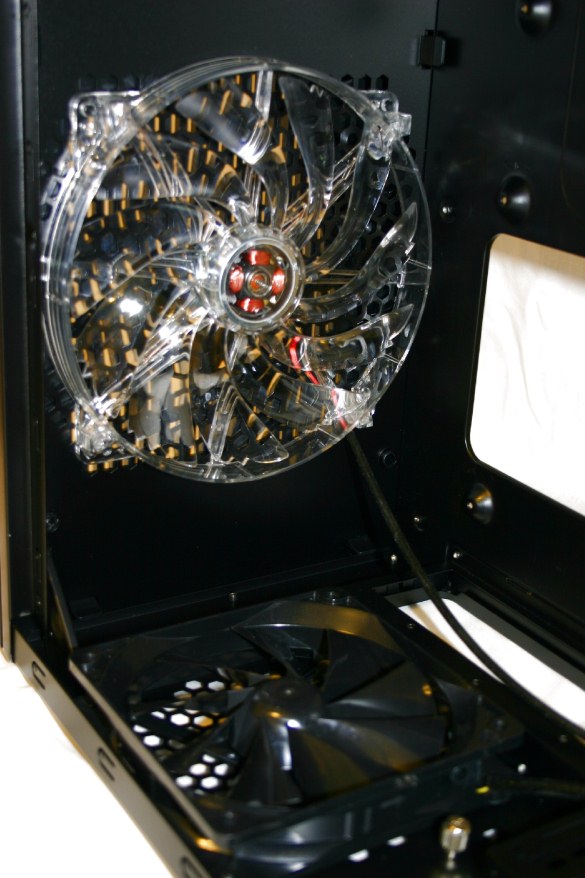
To see what the massive 200MM fan resting above your processor does for overclocking potential, I ran a series of tests with the fan on and off. Here are the cpu temperature changes that occurred when I turned the upper 200MM fan off:
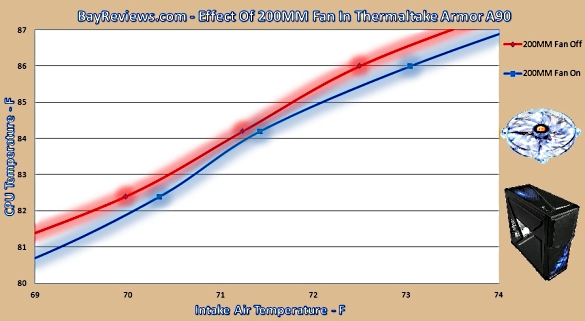
The results really do speak for themselves. In a computer case that already has two 120MM fans spinning, you can see that adding the third 200MM fan with its wide convection envelope allows the individual cores of the Intel processor to cool down even more. One of the biggest problems with overclocking the high-end Intel i7 Extreme is its high thermal output. Knowing that this 200MM fan can make a difference should give you the confidence to after your dream of building a super gaming computer. Since I have yet to find another computer case that offers true 180-degree fan cooling for the processor, the Thermaltake Armor A90 will remain my choice for intense air-cooled overclocking exploits.
FINAL THOUGHT
The Thermaltake Armor A90 has a highly functional design that allows you to use the latest in air and water cooling technology in one affordable package. 11 drive bays and a plethora of capacity options including an E-SATA port will help you keep pace with any coming drive changes for several years. The placement of the power supply on the bottom of the chassis allows us to feed water cooling tubing above the processor without any problems. If your desire is to build a home server or high-speed gaming machine then the Thermaltake Armor A90 was built for you!